
Navigating the VNISH interface
The VNISH firmware interface features a user-friendly navigation system that allows you to quickly switch between the main sections for managing the miner. The navigation panel is located on the left-hand side of the interface and provides access to device monitoring, mining settings, system parameters and service tools. Thanks to the logical menu structure, users can quickly find the required section and access the necessary functions without complicated page transitions.
Main menu sections
The left-hand navigation panel combines several main sections of the miner control panel.
Dashboard
Dashboard section is the main screen of the interface and is used to monitor the miner’s status. It displays key information about the device’s operation:
- ► current mining status
- ► total hash rate
- ► temperature of the ASIC chips and cooling system
- ► fan speed
- ► power consumption
- ► connection status to pools
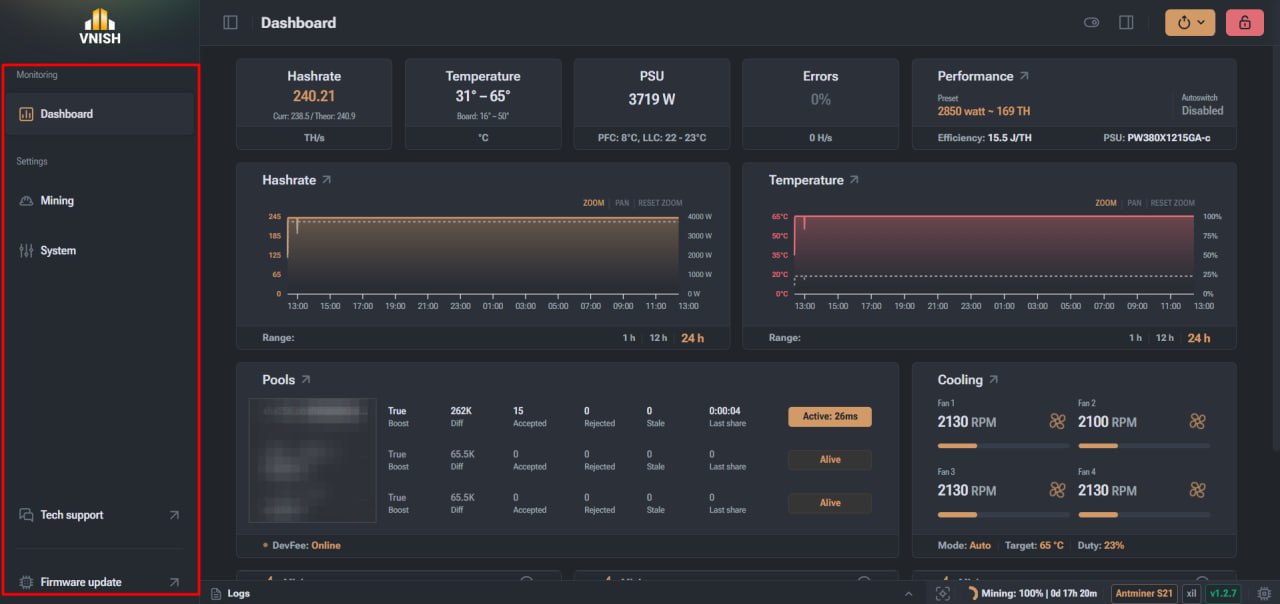
This section is used for daily monitoring of the miner’s operation.
Mining
The Mining section is designed to configure the mining process and the device’s performance settings. In this section, you can configure:
- ► primary and backup mining pools
- ► device operating mode
- ► ASIC chip frequencies and voltages
- ► performance profiles
- ► auto-tuning parameters
This section controls the computational aspects of the miner’s operation and allows you to optimise its performance.
System
The System section contains the miner controller’s system settings and is used for administrative control of the device. The following settings are available in this section:
- ► device name (hostname)
- ► network settings
- ► DHCP or static IP
- ► DNS settings
- ► system date and time
- ► API access
- ► Device reset
- ► Factory reset
- ► Export system information and logs
This section is used for network integration of the miner and system administration.
- ► system logs of the device
- ► information on the status of hashboards and ASIC chips
- ► cooling and temperature parameters
- ► data on connected mining pools
- ► current miner settings
Miner control API
The VNISH firmware supports API access, which allows the miner to be integrated with external monitoring and automation systems. The API is used for:
- ► automated miner control
- ► collecting device performance statistics
- ► integration with mining farm monitoring software
- ► centralised management of a large number of miners
This feature is designed for advanced integration and automation of mining equipment management processes.
- ► new features
- ► improved stability
- ► performance optimisation
- ► bug fixes
- ► .tar
- ► .gz
- ► .img
Starting the update
Once the file has been uploaded, the ‘Flash miner’ button becomes active, which starts the installation process for the new version. During the update:
- ► the firmware is installed on the device
- ► the miner automatically reboots
- ► after restarting, the system begins operating with the new software version
It is recommended to perform the update in a stable environment to avoid interrupting the installation process.
Technical Support
The Technical Support section contains tools for diagnosing the miner and sending technical information to support specialists. One of the main functions of this section is the creation of a diagnostic report.
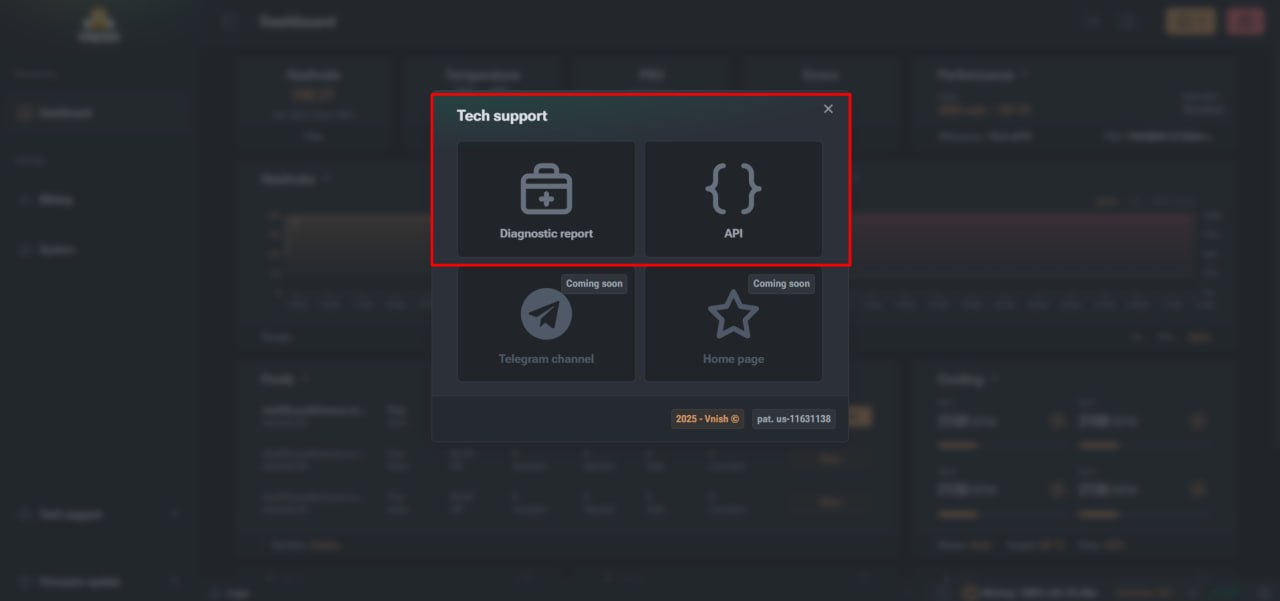
Diagnostic report
The diagnostic report is an archive of files containing comprehensive technical information about the miner’s status. The report contains:
This report is used when contacting technical support for rapid problem diagnosis.
Firmware Update Centre
The Update Centre section is used to install new versions of the VNISH firmware. Firmware updates provide:
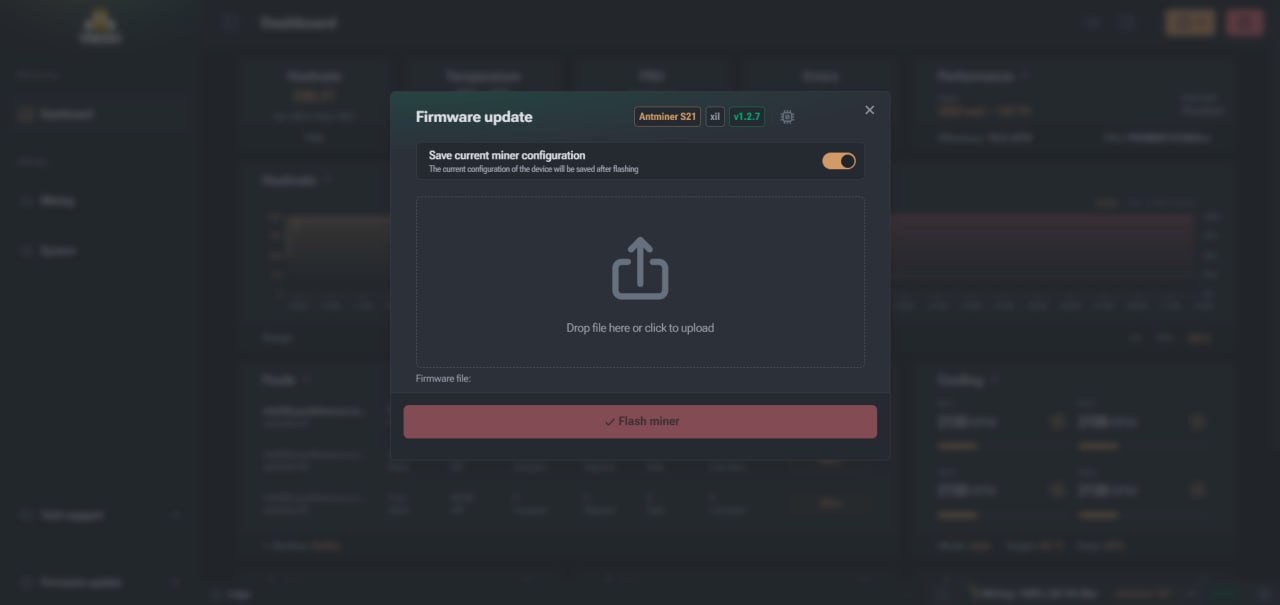
Downloading the firmware
The firmware can be downloaded in the following formats:
You can drag the firmware file into the upload area or select it manually from your computer.
Advantages of the VNISH interface navigation
The navigation structure of the VNISH interface is designed to allow users to quickly access the main miner control functions. The left-hand navigation panel brings together all the key sections of the system, from device monitoring to mining configuration, system administration and technical diagnostics. This ensures the interface remains intuitive for both beginners and experienced miner owners.
ЧАСТО ЗАДАВАЕМЫЕ ВОПРОСЫ
Where is the navigation panel in VNISH?
The navigation panel is located on the left-hand side of the firmware interface and contains the main miner control sections.
What is the ‘Dashboard’ section used for?
This is the main monitoring screen, which displays key miner performance parameters, including hash rate, temperature, fan speed and connection status to pools.
What can be configured in the ‘Mining’ section?
In this section, you can configure mining pools, performance profiles, ASIC chip frequencies and voltages, as well as auto-tuning parameters.
What is a diagnostic report for?
The diagnostic report contains technical information about the miner’s status and is used by technical support to analyse issues.
What is the API used for in VNISH?
The API allows you to integrate the miner with external monitoring and automation systems, as well as centrally manage a large number of devices.