
Overview of the VNISH interface (Mining tab)
The ‘Mining’ tab in the VNISH firmware is the control centre for all key ASIC miner operations. This is where settings for connecting to pools, temperature monitoring, performance management and access to advanced system parameters are concentrated. The interface is designed to allow the user to quickly adjust critical parameters and tailor the device’s operation to their specific needs. This section covers four main tabs, each of which is responsible for a separate aspect of the device’s operation.
Pools
The ‘Pools’ section is used to configure mining servers and determine the order in which they are used. Both the primary pool and backup pools are set here, ensuring uninterrupted operation should the primary server become unavailable. The system allows you to add up to three independent pools. They operate on a priority basis, determined by their order in the list. The miner first attempts to connect to the first pool, and if a connection cannot be established, it automatically moves on to the next one.
Each pool has basic connection parameters:
- ► Server URL with the specified port
- ► Worker name
- ► Worker password
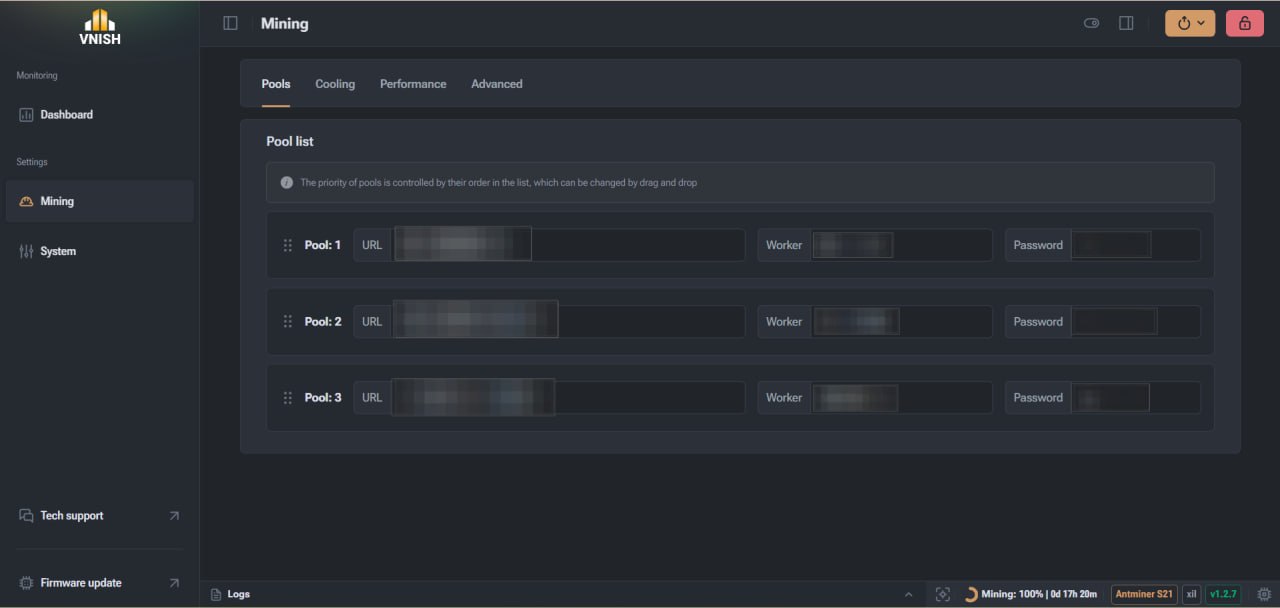
The pool address is entered in the format of a domain name with a port. This is the main connection point through which all computations are transmitted. The worker name consists of Latin characters and may contain numbers. A full stop may be used to structure the name. In most cases, the password has a default value, which does not affect authentication.
Special attention should be paid to priority. The order of pools can be changed manually by simply moving them in the list. This allows you to quickly adapt the configuration to current operating conditions or change the primary pool without re-entering data.
To configure the pools correctly, it is recommended to follow this sequence:
- Specify the primary pool, which will be used first
- Add one or two backup servers
- Check that the URL and port have been entered correctly
- Set the correct worker name
- Save the configuration and check the connection
This approach minimises downtime and ensures a stable mining process, even in the event of network or pool issues.
Cooling
The ‘Cooling’ section is responsible for temperature control and fan management. This is one of the most important sections, as a stable temperature directly affects the equipment’s lifespan and mining efficiency. The system offers several fan modes, each with its own characteristics. Automatic mode is the default and safest option. In this case, the firmware automatically adjusts the fan speed based on the temperature of the chips. The user does not need to manually intervene in the process, as the system maintains an optimal balance between cooling and noise levels.
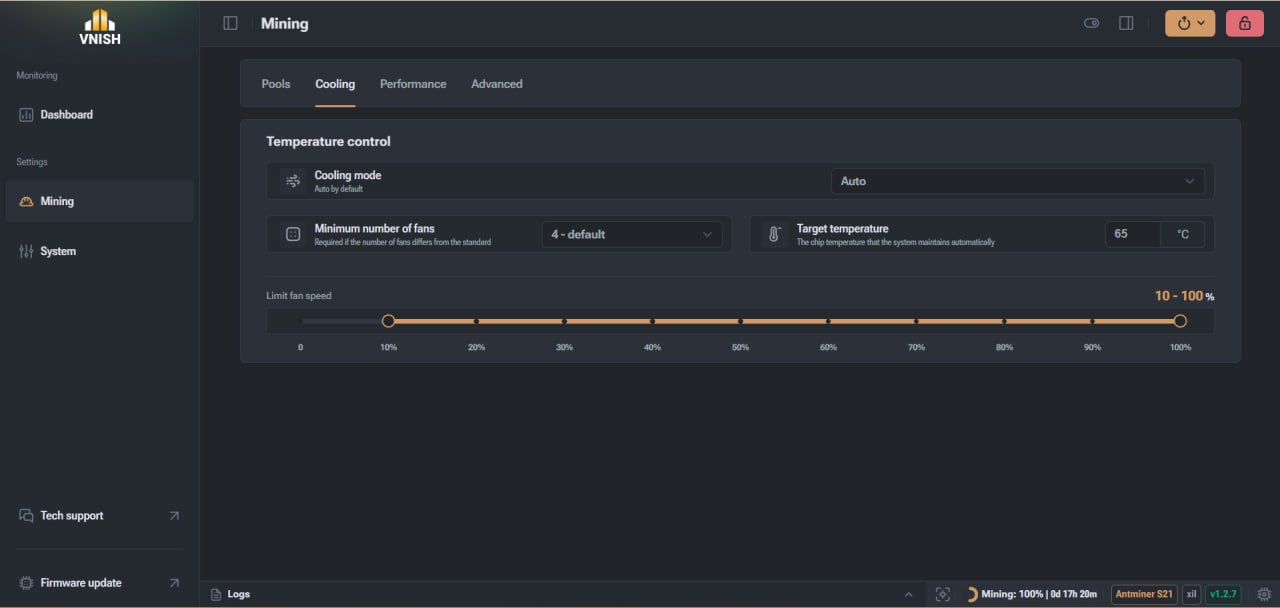
Manual mode allows you to set a fixed fan speed. The value is set as a percentage and does not change automatically. This approach is suitable for specific operating conditions where a stable cooling level must be maintained regardless of temperature. Immersion mode is used for immersion cooling. In this mode, the fans are switched off and temperature control is carried out via the liquid.
Key parameters available in this section:
- ► The target chip temperature that the system will maintain
- ► Minimum number of active fans
- ► Fan speed limit
The target temperature determines the level to which the system will attempt to cool the chips. Upon reaching this value, the firmware adjusts the fan speeds to stabilise operation. The minimum number of coolers sets the threshold at which the miner continues to operate. If the number of active fans is lower than the set value, the system may treat this as an error. The speed limit allows you to restrict the maximum fan speed within a specified range. This is useful for reducing noise or optimising energy consumption.
Performance
The ‘Performance’ section is designed to manage overclocking, frequencies and voltage. This is where the user balances hashrate, power consumption and the miner’s operational stability. This section offers overclocking profiles that allow you to quickly apply pre-configured settings. You can also manually adjust voltage and frequency for more precise control.
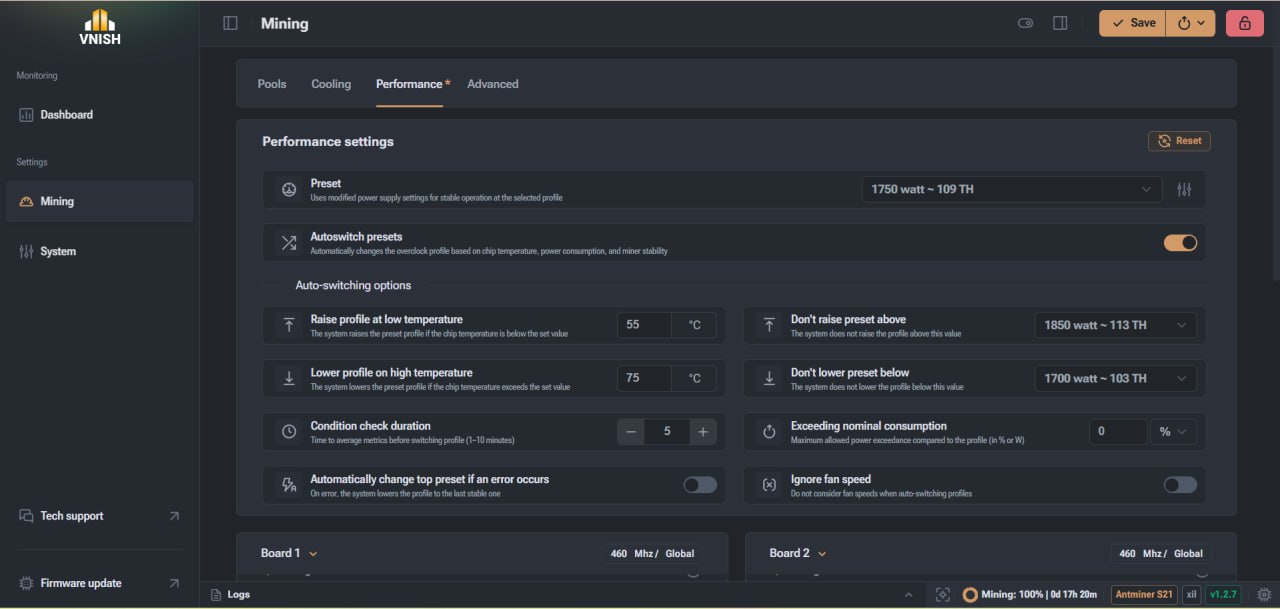
Additionally, an automatic profile switching function has been implemented, which changes settings depending on temperature or other operating conditions. As this section contains a large number of parameters and requires detailed analysis, we recommend reading a separate article, where overclocking, profiles and board management are discussed in greater depth.
Advanced
The ‘Advanced’ section contains low-level settings responsible for operational stability, hardware protection and the automation of recovery processes in the event of failures. Here you will find settings related to automatic miner restart, temperature control, chip status checks and other system functions. This section also contains settings that affect the device’s behaviour after a reboot or in the event of errors.
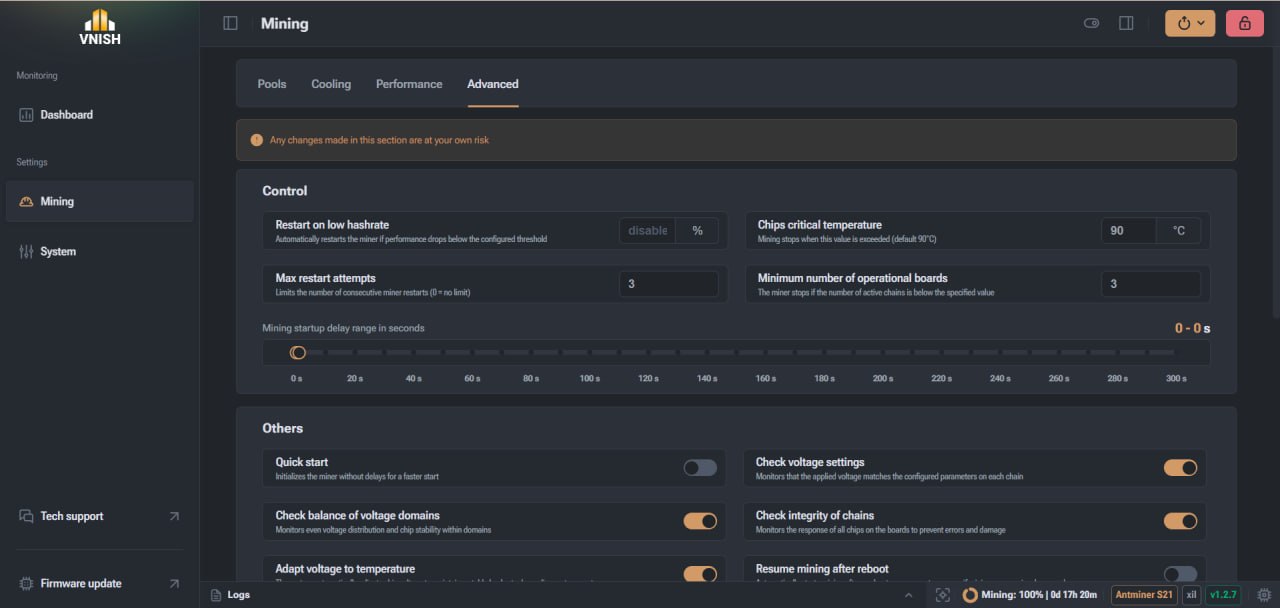
Changes in this section require an understanding of how the equipment works, as incorrect values may affect system stability. For a detailed look at all available settings and scenarios, see the separate article, where each item in the ‘Advanced’ section is explained in as much detail as possible.
Full control of mining in Vnish
The ‘Mining’ tab brings together all the key tools for managing an ASIC miner. Properly configured pools help avoid downtime and ensure a continuous mining process even in the event of an unstable connection or server failure. Cooling management allows you to maintain the optimal temperature of the chips, which directly affects the equipment’s lifespan and its long-term stability. The Performance section provides access to flexible frequency and voltage settings, allowing you to adapt the miner to specific operating conditions and achieve the necessary balance between hash rate and power consumption. In turn, advanced settings provide an additional level of control, automate the system’s response to failures, and enhance overall operational reliability. Making full use of all the features in the ‘Mining’ tab allows you not only to configure the miner, but to fully optimise its operation for specific tasks. This helps reduce the risk of overheating, avoid loss of hash rate, and ensure a stable income from mining. Thanks to its well-designed interface and wide range of tools, Vnish is an effective solution for those seeking to get the most out of their equipment without compromising stability.
FAQ
How many pools can be added?
Up to three pools, with the option to set priorities.
What happens if the primary pool is unavailable?
The miner automatically switches to the next one in the list.
Which cooling mode is best to use?
Automatic mode is the safest and is suitable for most scenarios.
Should I change the advanced settings?
It is not recommended to change these settings without a clear understanding of their purpose.