
Creating network group
Creating network group
On the first launch of the Toolkit program, you need to specify the network range where the miners are located to start interacting with them.
- Click the + New Group button
- In the opened window, on the Ranges tab, specify: group name, group description, and network range, e.g.
192.168.1.0 - 192.168.1.255 - If you need to add multiple ranges, click the + Add IP Range button and specify the next required range
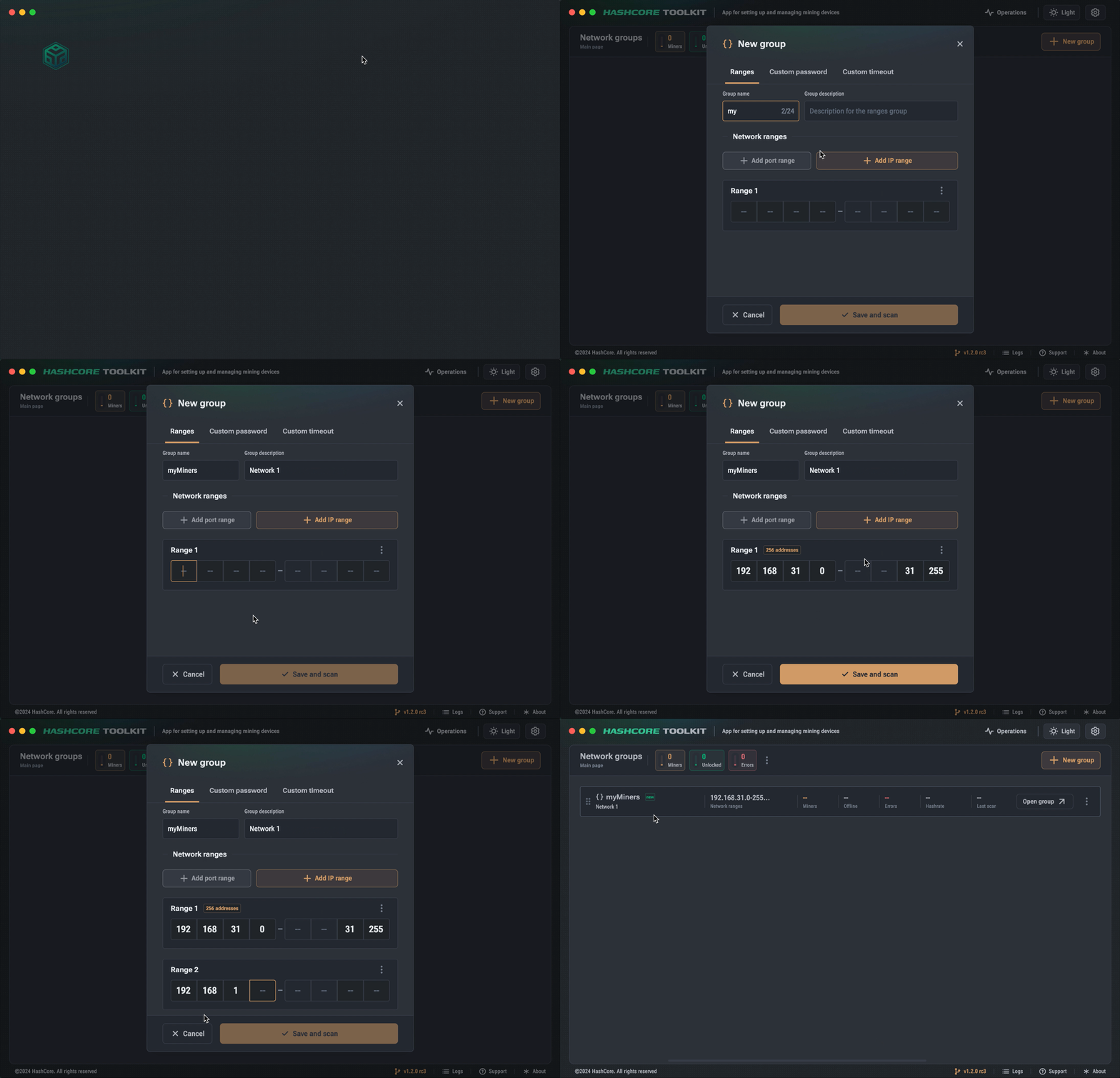
Adding a new network group
You can also import individual IP addresses or ranges
- To import, drag and drop a file with IP addresses into the Toolkit program window
- You can also use the context menu ... to import a file with IP addresses
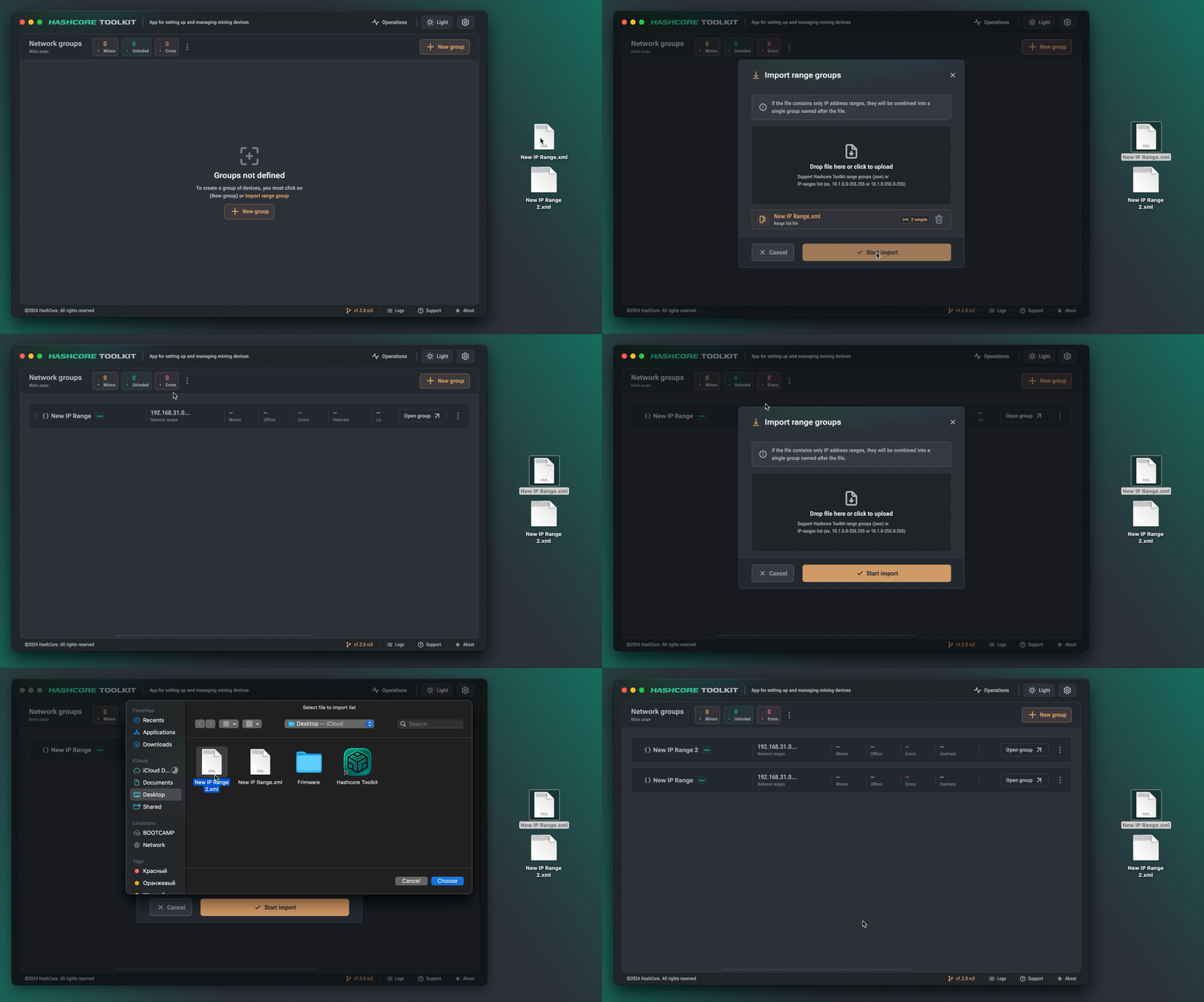
Importing network addresses from a file