
How to select and apply an overclocking profile in Vnish
The Vnish firmware provides miners with a powerful tool — “overclock profiles,” which allow you to adjust the performance of your ASIC within the optimal balance between hashrate, power consumption, and stability. Overclock profiles are pre-prepared configurations of frequencies and voltages for quick switching between mining modes. In this guide, you will learn how to select and activate the desired profile in the Vnish web interface.
Step-by-step instructions
Log in to the miner’s web interface
- ► Open a browser and enter the IP address of the miner running Vnish firmware.
- ► Log in (password — admin, unless changed).
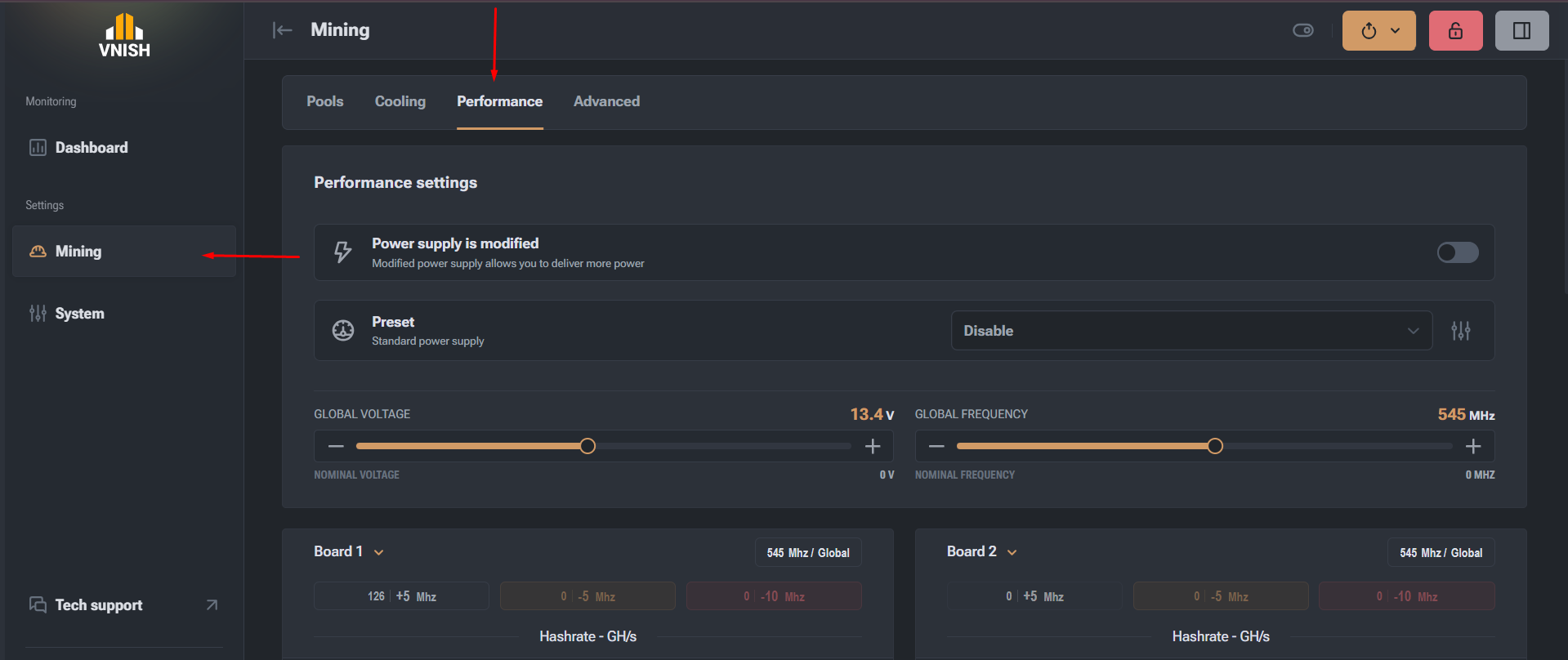
Go to the “Mining” section
- ► In the left menu, find the Mining section.
- ► Inside it, go to the Performance section.
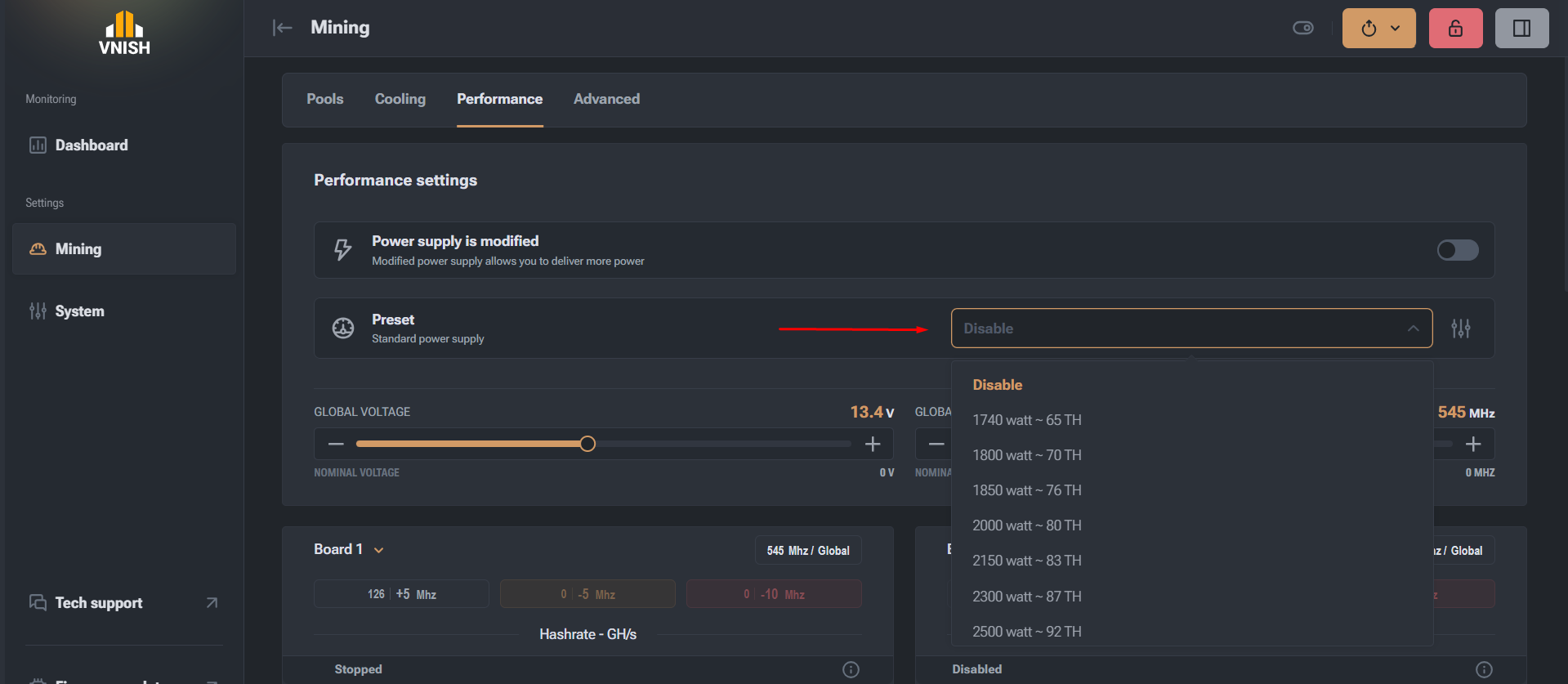
- ► A list of available presets for your ASIC model will open.
Select the desired profile
- ► Review the parameters of each profile.
Apply the selected profile
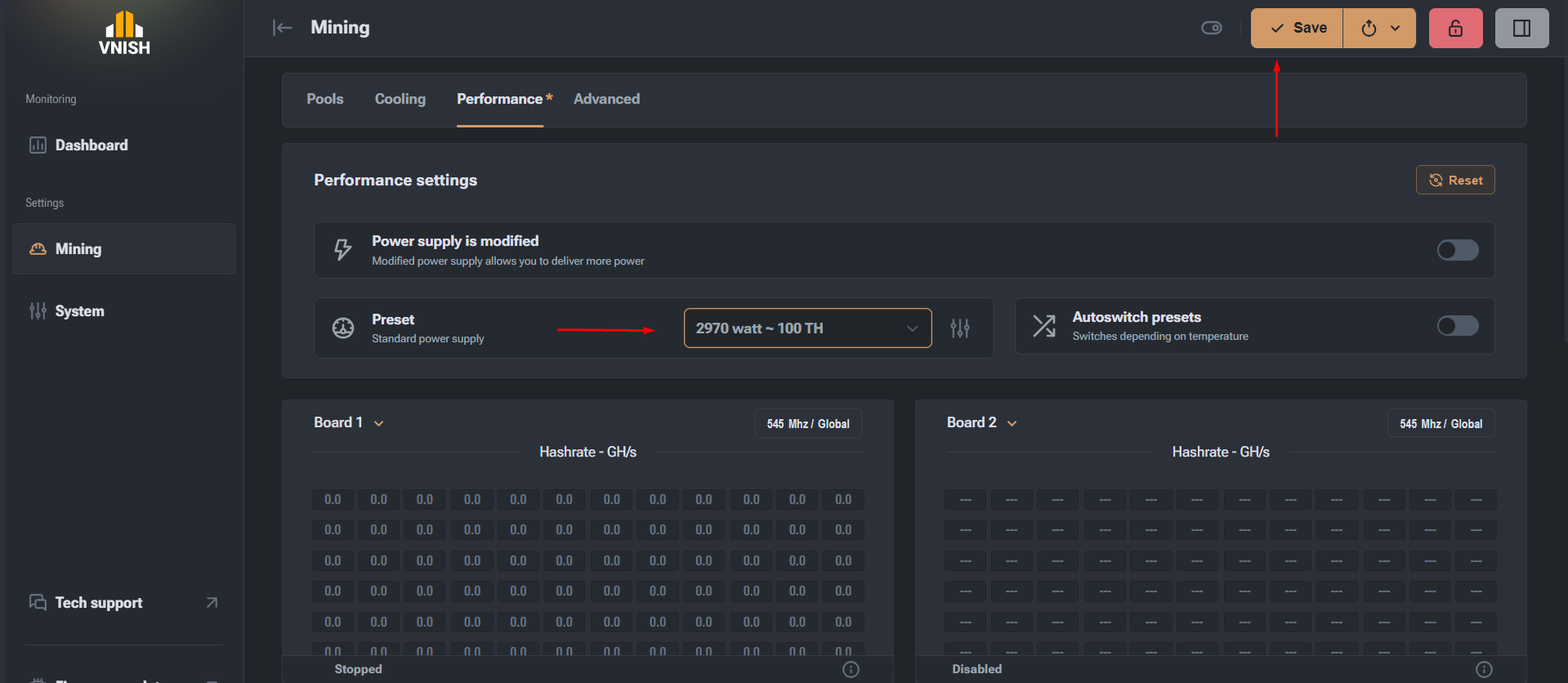
- ► Click on the selected profile, focusing on the desired power and energy consumption.
- ► Click the Save button to save the profile as active.
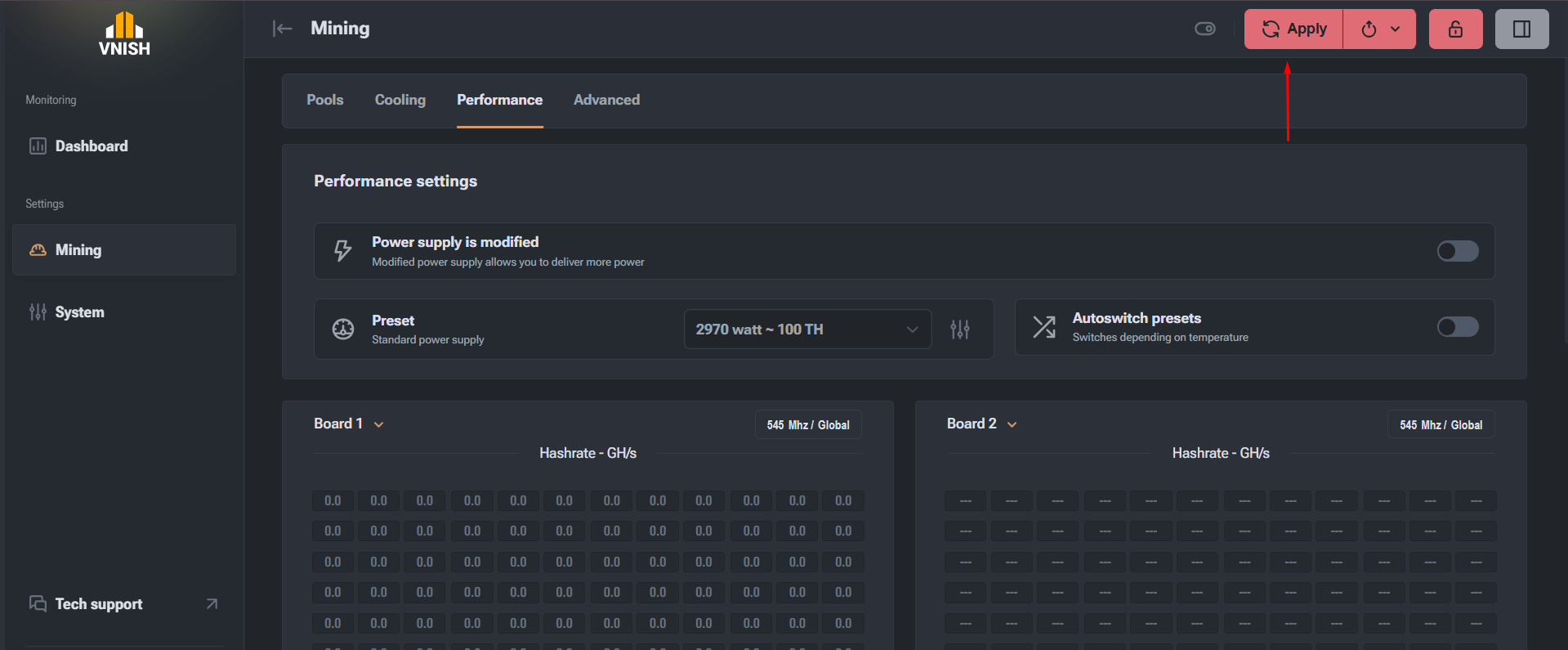
- ► Click the Apply button. The miner will restart in the new mode, and autotuning will start automatically.
Autotuning may take some time. During this period, the hashrate will be unstable — this is normal. Wait until the process is complete for optimal performance. To learn more about how autotuning works, read the article.
Which profile should I choose?
The choice of overclock profile depends on several factors: environmental conditions (ambient temperature, ventilation quality, type of cooling) and the characteristics of the miner itself (model, power, power supply stability). If you have good cooling and a stable power supply, you can use more aggressive profiles with a higher hashrate. If conditions are less stable or the equipment is older, it’s better to choose a moderate profile to avoid overheating or frequent restarts. Consider these aspects to find the optimal balance between performance and stability.
Choosing the right overclock profile in the Vnish firmware allows you to achieve the best balance between profitability, energy efficiency, and miner reliability.